:format(webp)/klickart-prod/uploads/media/file/9373268/logo_desafio_motionmob.webp)
Preencha o formulário e descubra como criar suas primeiras animações pelo celular
Preencha o formulário e descubra como criar suas primeiras animações pelo celular
Preencha o formulário e descubra como criar suas primeiras animações pelo celular
:format(webp)/klickart-prod/uploads/media/file/10325753/transform_pack_logo.png)
Animate the transformations of your clips with just a few clicks
Animate the transformations of your clips with just a few clicks
Animate the transformations of your clips with just a few clicks
47 DaVinci Resolve templates that will make your motion animations more professional, faster
47 DaVinci Resolve templates that will make your motion animations more professional, faster
47 DaVinci Resolve templates that will make your motion animations more professional, faster
Animate the transformations of your clips with just a few clicks
Animate the transformations of your clips with just a few clicks
Animate the transformations of your clips with just a few clicks
47 DaVinci Resolve templates that will make your motion animations more professional, faster
47 DaVinci Resolve templates that will make your motion animations more professional, faster
47 DaVinci Resolve templates that will make your motion animations more professional, faster
:format(webp)/klickart-prod/uploads/media/file/10345710/mockup_iluminado.png)

Choose your template
Choose your template
Choose your template
Choose one of the 47 templates within the transitions or effects tab.
Choose one of the 47 templates within the transitions or effects tab.
Choose one of the 47 templates within the transitions or effects tab.
Click and drag
Click and drag
Click and drag
After choosing the template, you will click on it and drag it to the clip you want to animate.
After choosing the template, you will click on it and drag it to the clip you want to animate.
After choosing the template, you will click on it and drag it to the clip you want to animate.
Refinement
Refinement
Refinement
Finally, simply adjust the parameters as you see fit.
Finally, simply adjust the parameters as you see fit.
Finally, simply adjust the parameters as you see fit.
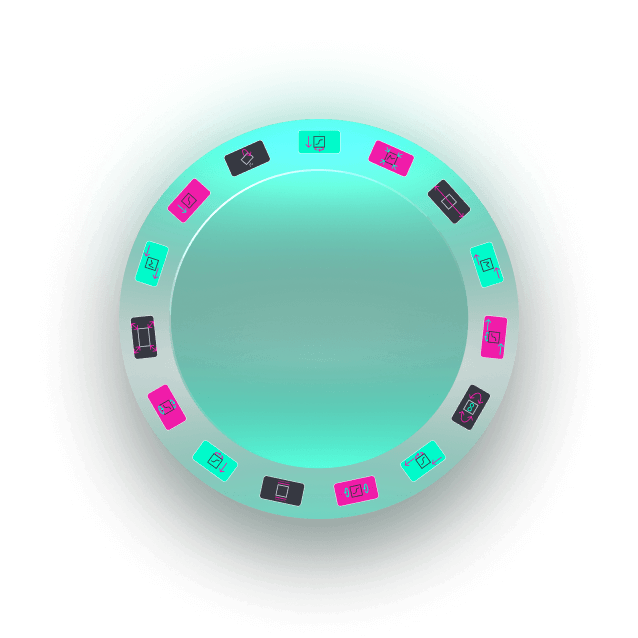
You waste a lot of time creating (and recreating) transformation animations every time you use it.
You waste a lot of time creating (and recreating) transformation animations every time you use it.
You waste a lot of time creating (and recreating) transformation animations every time you use it.
You waste time switching between the editing and fusion tabs in DaVinci to better smooth the keyframes.
You waste time switching between the editing and fusion tabs in DaVinci to better smooth the keyframes.
You waste time switching between the editing and fusion tabs in DaVinci to better smooth the keyframes.
Save time by simply clicking and dragging animations onto clips.
Save time by simply clicking and dragging animations onto clips.
Save time by simply clicking and dragging animations onto clips.
You can always stay in the edits tab of DaVinci.
You can always stay in the edits tab of DaVinci.
You can always stay in the edits tab of DaVinci.

U$ 25
U$ 25
U$ 25
One-time payment · Lifetime access
One-time payment · Lifetime access
One-time payment · Lifetime access
Does it work for people who don't know anything about editing/animation?
Does it work for people who don't know anything about editing/animation?
Does it work for people who don't know anything about editing/animation?
Yes, with the help of the tutorial you'll receive, even those who don't know how to edit will be able to apply the templates to their own videos.
Yes, with the help of the tutorial you'll receive, even those who don't know how to edit will be able to apply the templates to their own videos.
Yes, with the help of the tutorial you'll receive, even those who don't know how to edit will be able to apply the templates to their own videos.
Is it mandatory to have DaVinci Studio to use the templates?
Is it mandatory to have DaVinci Studio to use the templates?
Is it mandatory to have DaVinci Studio to use the templates?
Not necessarily, but some templates may not work correctly due to the use of scripts, which, since the +19.1 update of DaVinci, have been limited to the Studio version.
Not necessarily, but some templates may not work correctly due to the use of scripts, which, since the +19.1 update of DaVinci, have been limited to the Studio version.
Not necessarily, but some templates may not work correctly due to the use of scripts, which, since the +19.1 update of DaVinci, have been limited to the Studio version.
Will I get free updates if these Presets are updated?
Will I get free updates if these Presets are updated?
Will I get free updates if these Presets are updated?
Of course! You pay once, and get free updates for life. Whether I am improving presets, or adding more to the pack, you will recieve an email to download the latest version of the Transform Pack
Of course! You pay once, and get free updates for life. Whether I am improving presets, or adding more to the pack, you will recieve an email to download the latest version of the Transform Pack
Of course! You pay once, and get free updates for life. Whether I am improving presets, or adding more to the pack, you will recieve an email to download the latest version of the Transform Pack
/klickart-prod/uploads/media/file/10325753/transform_pack_logo.png)
